01Rear metal honeycomb panel
Wall Power Inlet & Main Rocker Switch
Receives the 3-prong power cord from your wall outlet or surge strip, paired with an Input/Output (I/O) rocker switch to cut power completely before working inside.
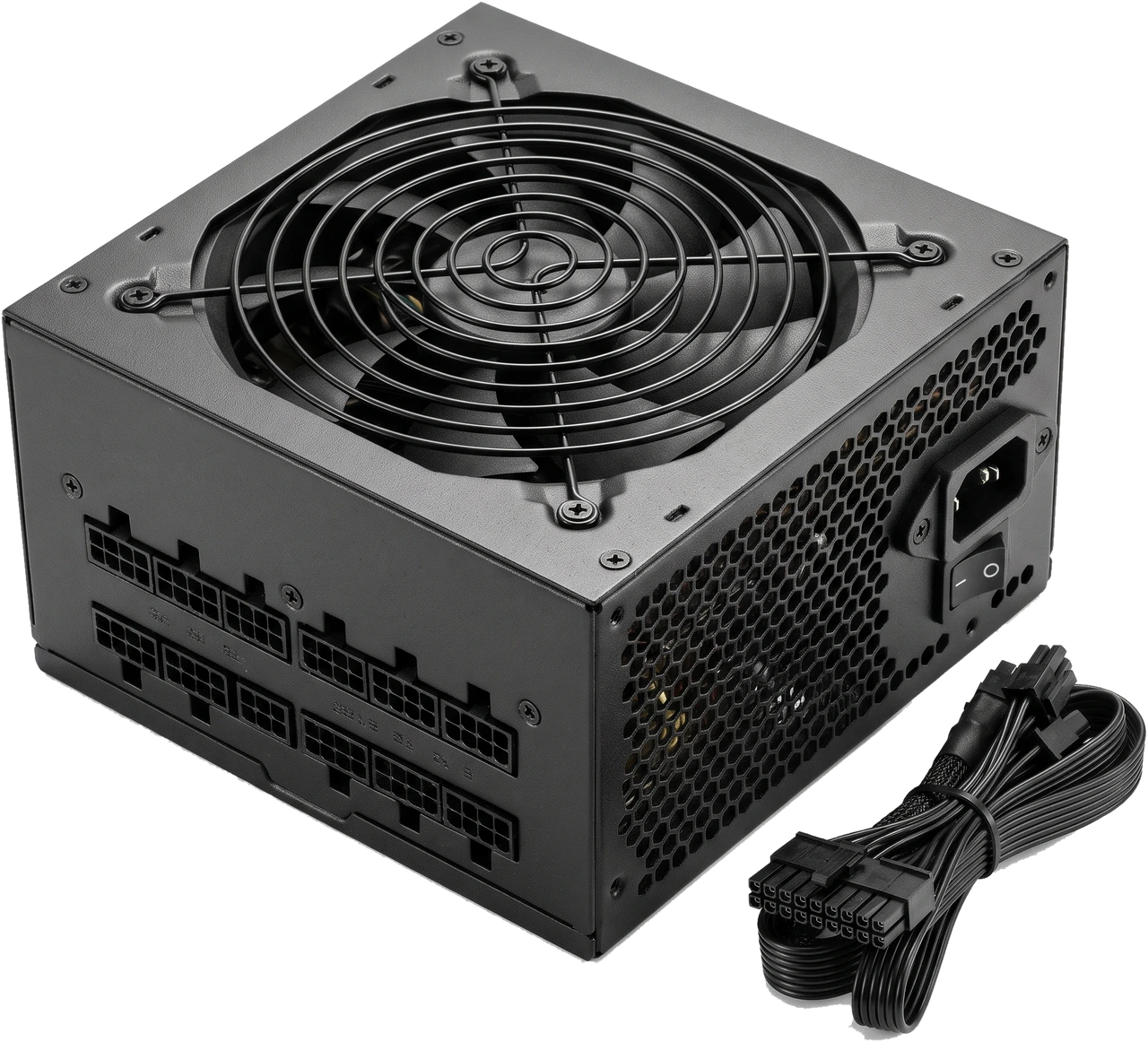
The Power Supply Unit (PSU) takes high-voltage Alternating Current (AC) electricity from your wall outlet and turns it into safe, steady, low-voltage Direct Current (DC) power for every part inside the computer.
Wall sockets carry high-voltage electricity that would instantly destroy computer circuits. The PSU converts that power safely down mainly to +12 volts (V) (used by power-hungry processors, graphics cards and fans) alongside lower voltages for memory, storage and Universal Serial Bus (USB) ports.
Although a power supply does not raise frame rates by itself, stable power and fast safety shutoffs protect every other component from damage during spikes or heavy loads. Never save money by buying an unknown, unreviewed cheap PSU.
Notice the mains inlet, switch, fan grille and modular cable bank in the photo above. Every desktop unit shares these essential features and cables:
Receives the 3-prong power cord from your wall outlet or surge strip, paired with an Input/Output (I/O) rocker switch to cut power completely before working inside.
Pulls cool air over internal electronics and vents warmth out the back. Many quality units stop the fan quietly at low loads.
Keyed sockets where power cables plug in. Note that socket wiring differs between brands and even between models from the same maker!
Lists total continuous power in watts (W), +12 V output capacity, supported wall voltage range (often 100 to 240 V) and safety marks.
PSUs are classified by how their cables attach (non-modular, semi-modular, fully modular) and separately by physical case size (ATX standard vs compact Small Form Factor eXtended (SFX)).
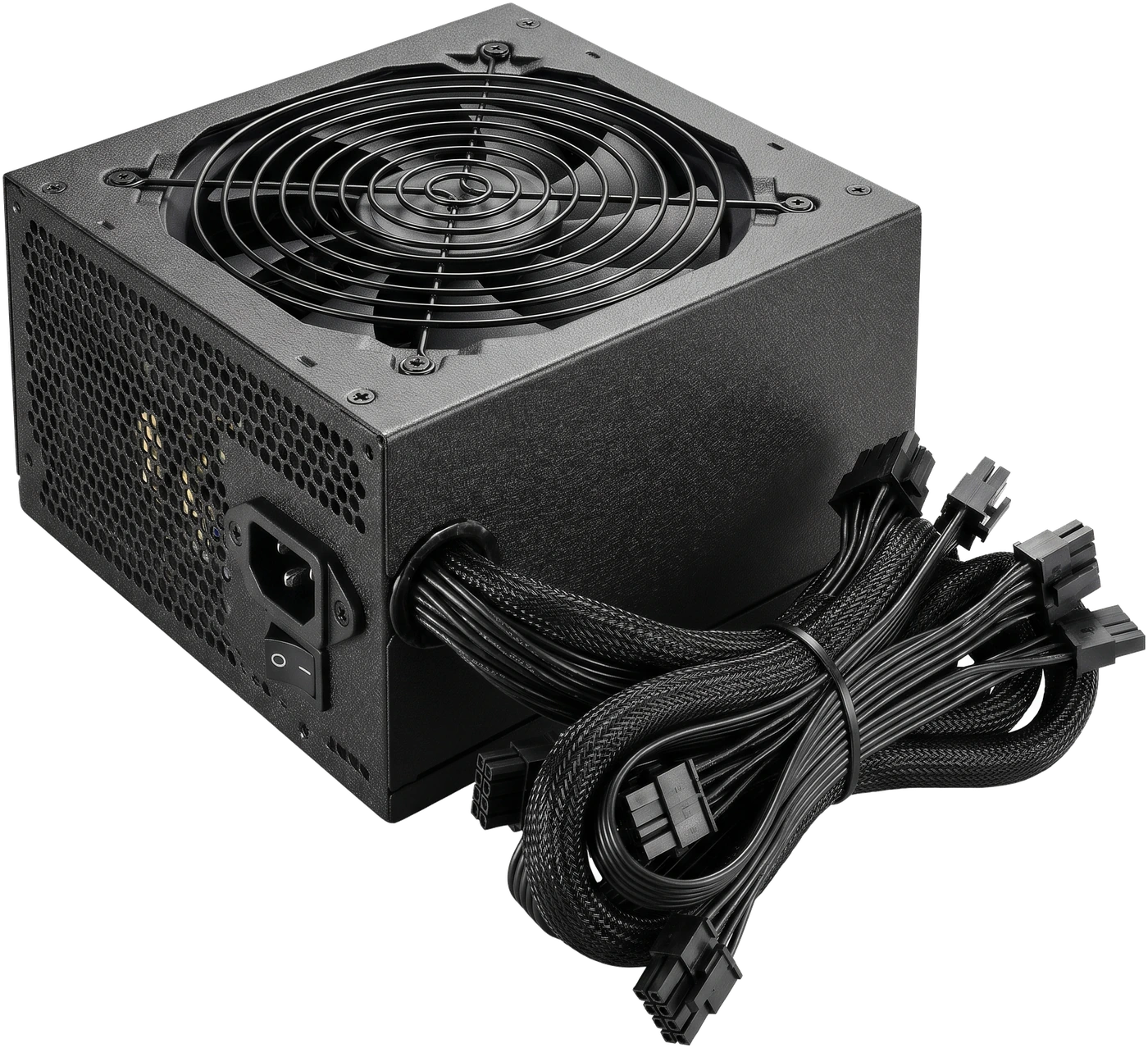
Every cable is wired permanently into the metal box. Usually costs less while delivering the exact same electrical quality inside a given range, though spare unused cables must be tucked away under a case shroud.
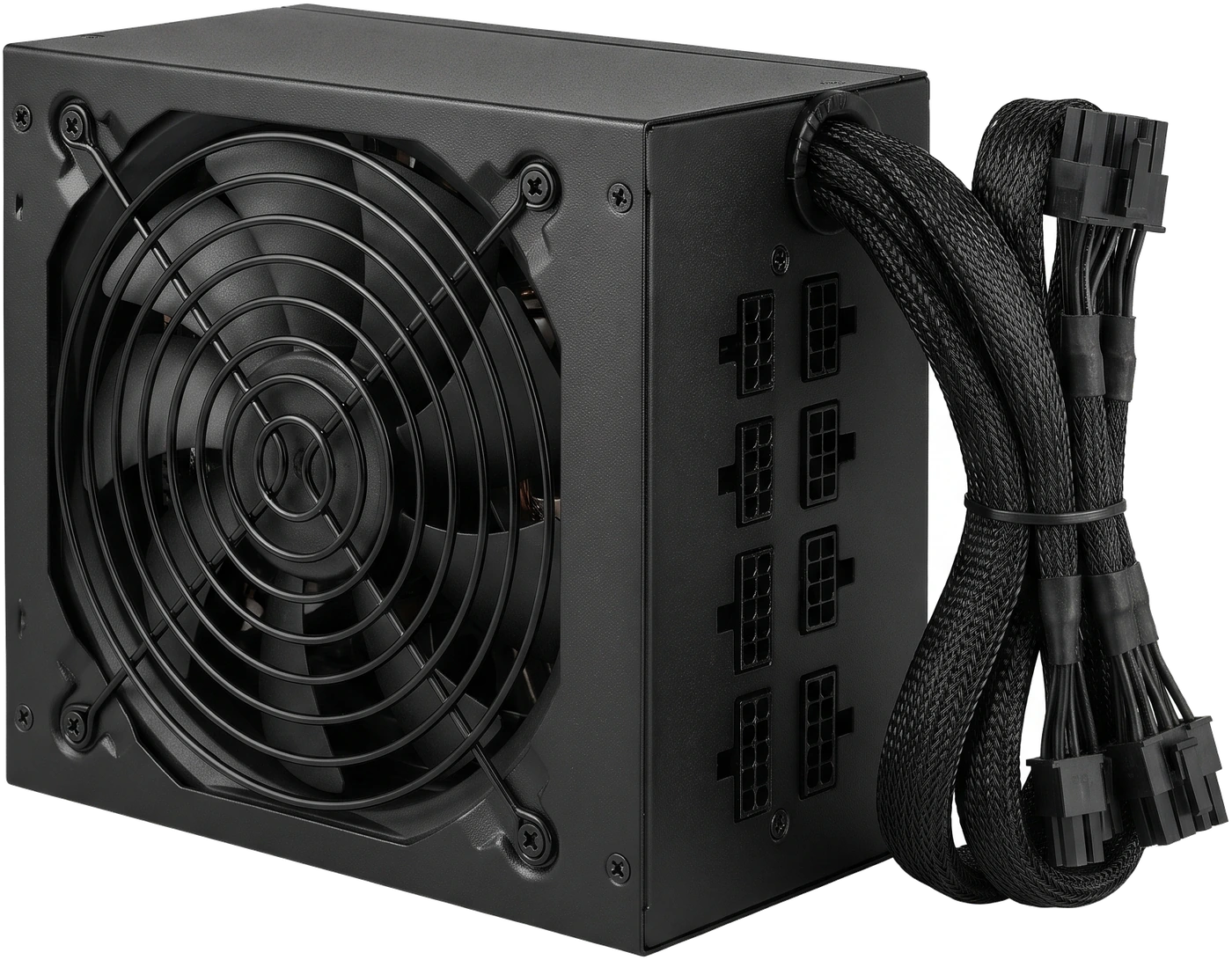
Keeps the two always-needed cables (24-pin motherboard and processor power) permanently attached while extra cables for graphics cards and storage attach only when needed. Great middle ground on price and tidiness.
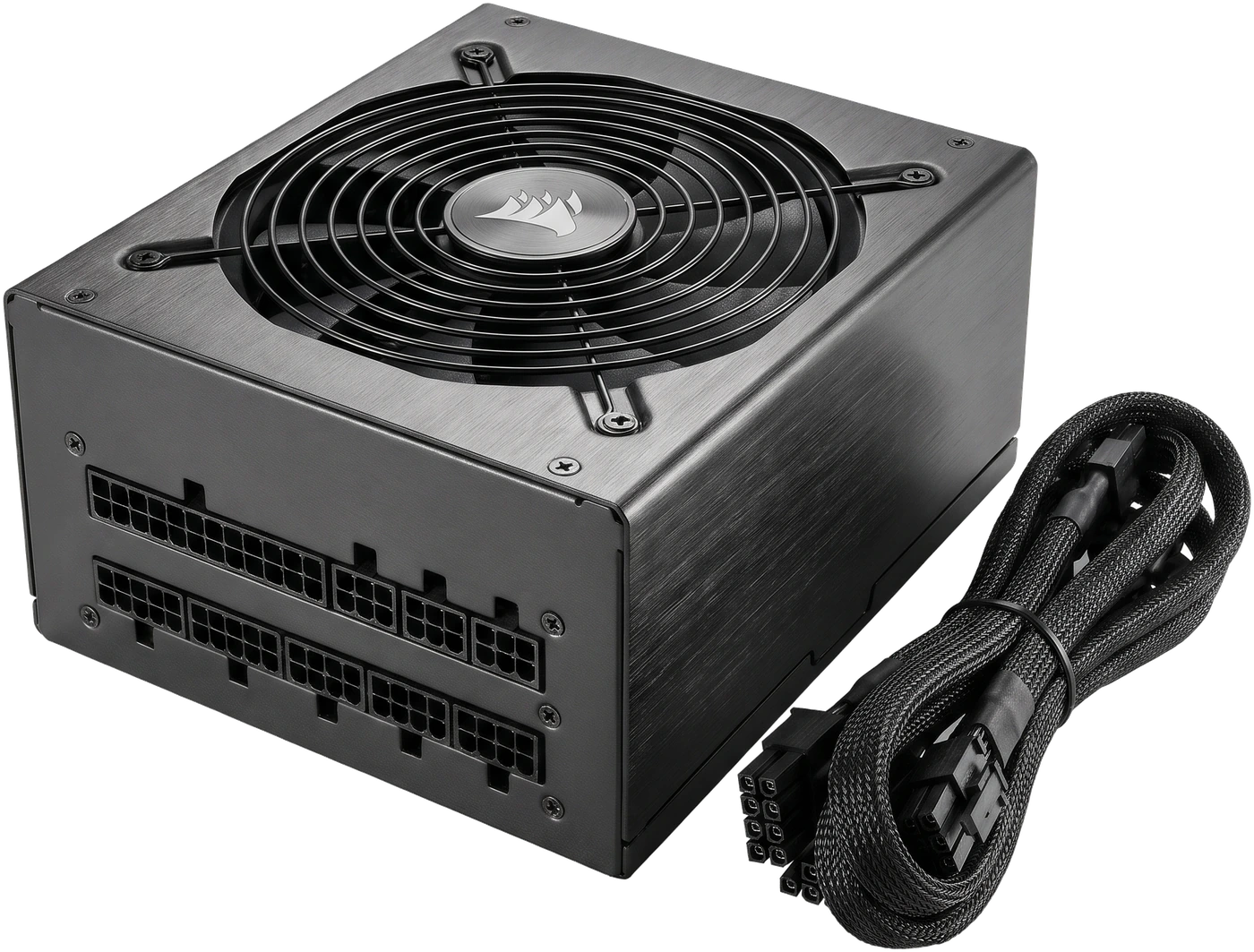
All cables detach completely so you plug in only the exact leads your build needs. Simplifies tight builds and future upgrades, though always remember: never reuse old modular cables if you later swap to another PSU!
Cable modularity has nothing to do with physical box dimensions. Make sure the PSU box itself fits your computer case.
Fits nearly all Full Tower, Mid Tower and Mini Tower cases (150 millimetres (mm) wide, typically 140 to 180 mm deep).
Much smaller power supplies made for ultra-compact Small Form Factor (SFF) cases (such as 125 x 63.5 x 100 mm, or 130 mm deep for SFX Lengthened (SFX-L)).
| Type | Permanent Cables | Best Suited For |
|---|---|---|
| Non-Modular | All cables attached permanently | Budget builds in Mid Tower cases that have a bottom cover hiding spare wires |
| Semi-Modular | Main motherboard + Central Processing Unit (CPU) cables fixed; others optional | Everyday value builds reducing extra cable clutter |
| Fully Modular | All cables detach completely | Neat builds, tight spaces and easier unit removal |
Judge a PSU by real wattage, quality protection, required graphics card cables and warranty length, not just a shiny Gold sticker or huge wattage number.
How much steady power the unit can supply safely. Why it matters: too little power causes shutdowns under heavy load, while a huge oversized unit wastes money. Start from your graphics card maker's recommended wattage (roughly 450 to 550 W for integrated Graphics Processing Unit (iGPU) or entry builds, 650 to 750 W for mainstream gaming, 850 W+ for high-power cards).
Quality units include built-in safety shutdowns against voltage surges, short circuits, overloads and overheating, backed by 5-to-10-year warranties. Avoid mystery ultra-cheap units or inflated "peak wattage" labels; pick tested models from trusted makers (for example Seasonic, Corsair or be quiet!).
80 PLUS Bronze, Gold or Platinum shows how much wall electricity becomes DC power rather than waste heat. Crucial warning: efficiency does NOT measure safety or reliability! A well-reviewed Bronze unit from a trusted maker beats an unknown "Gold" unit every time.
Confirm exact plugs for your motherboard, CPU and graphics card. Modern ATX 3.0 / ATX 3.1 units handle brief power spikes from modern graphics cards cleanly and include the new 16-pin 12-Volt 2x6-pin (12V-2x6) plug (which updates early 12-Volt High Power (12VHPWR) cables so loose plugs cut off safely).
Confirm ATX vs SFX format and depth in mm fit your case. Choose modern units supporting automatic 100 to 240 V wall input (avoid older units with red manual voltage switches), and plug the Personal Computer (PC) into a surge protector or Uninterruptible Power Supply (UPS) where wall power is unstable.
Warning: 8-pin CPU cables and 8-pin graphics cables look similar at a glance but carry completely opposite wiring; always read the printed label!
| Connector | Where It Plugs In | What to Watch Out For |
|---|---|---|
| 24-pin ATX (often 20+4) | Right edge of motherboard | Push firmly until the side clip latches flat. |
| 4+4-pin (8-pin) Entry-Level Power Supply (EPS) | Top-left motherboard CPU socket | Labelled "CPU". Some boards need two. Never force a graphics cable here. |
| 6+2-pin (8-pin) Peripheral Component Interconnect Express (PCIe) | Dedicated graphics card | Labelled "PCIe". Run separate cables from the PSU to multi-socket high-draw cards where possible. |
| 16-pin 12V-2x6 / 12VHPWR | Modern high-power graphics cards | Click completely straight in with zero visible gap and keep ~35 mm straight before bending. |
| 15-pin Serial Advanced Technology Attachment (SATA) | 2.5-inch / 3.5-inch drives and lighting hubs | Flat L-shaped plug; never force upside down. |
| 4-pin Molex (Legacy) | Very old fans or accessories | Rarely needed on modern desktop builds. |
Efficiency shows how little energy is lost as heat (at 115 V testing; 230 V regions are slightly higher), NOT build safety or component quality.
| Rating Tier | Min Efficiency (20% Load) | Min Efficiency (50% Load) | Min Efficiency (100% Load) |
|---|---|---|---|
| 80 PLUS Bronze | 82% | 85% | 82% |
| 80 PLUS Gold | 87% | 90% | 87% |
| 80 PLUS Platinum | 90% | 92% | 89% |
| 80 PLUS Titanium | 92% (90% at 10%) | 94% | 90% |
Buying a massive 1,200 W PSU for a normal 400 W desktop adds cost without extra speed. Spend that money on a trustworthy 650 to 750 W unit with a long warranty instead.
Check both connector types and physical length against your case and components.
Meet the card's recommended wattage and match exact graphics plugs (count of 6+2-pin PCIe leads or native 12V-2x6).
Verify 24-pin ATX plug plus one or two 4+4-pin EPS CPU leads, and check cable reach in tall Full Tower cases.
Match ATX vs SFX size and ensure PSU length in mm clears lower drive cages and thick cable bundles.
Confirm enough SATA power plugs for any 2.5-inch Solid-State Drives (SSDs), 3.5-inch Hard Disk Drives (HDDs) or powered fan hubs.
Treat the power supply as a sealed box: keep its outer air filter clean and replace the whole unit if electrical trouble appears.
Large capacitors inside a PSU can hold lethal electrical charges even days after being unplugged from the wall. There are zero user-serviceable parts inside.
Plugs on the PSU side are NOT standardised across makers or even different models from the same maker. Using old cables on a new unit can send wrong voltages straight into drives and motherboards and ruin them instantly.
Poor units fail under load, lack real protections and can damage connected hardware.
80 PLUS measures only wall-to-component efficiency, not build quality or surge protection.
Different pin wiring can instantly short out storage drives, graphics cards and motherboards.
Long PSUs hit drive cages, or missing 8-pin / 12V-2x6 plugs stall your build.